

If you see the variable for %RegCompleteInstructions% in your Registration Complete or Confirmation Email previews, this means that it's not turned on in these templates. The GIF below shows you how to turn them on.
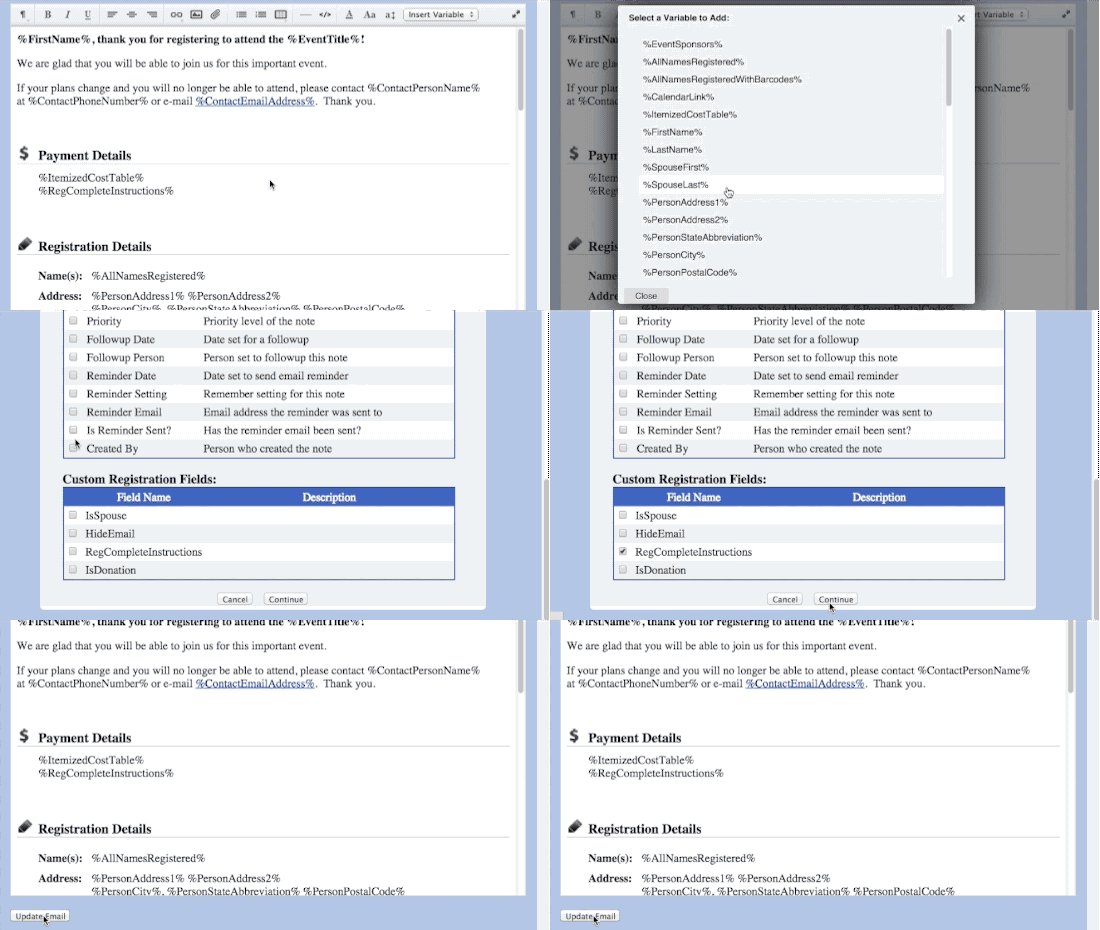
From the template editor, click Insert a Variable
From the list choose, Add New Variables
Then select RegCompleteInstructions from the bottom of the list of checkboxes.
Save your changes
The variable won't show on your previews and when someone makes a payment, the correct text will appear.
Updated 7/18/16