

Gmail has added lots of new features which may filter emails in unexpected ways. If you are not getting emails from Ministry Sync, check these two places.
Check to see if it's showing up in your Promotions tab at the top of the page. To make sure that Ministry Sync emails show in your Primary tab or inbox, train your software by moving them from Promotions or Junk to your Inbox.
If the email is not there, click the gear icon to the right
Click Settings
Click the Filters tab to see any of your filters might be filtering this out
If not, click the Inbox tab to change the "Filtered mail" option to "Override filters"
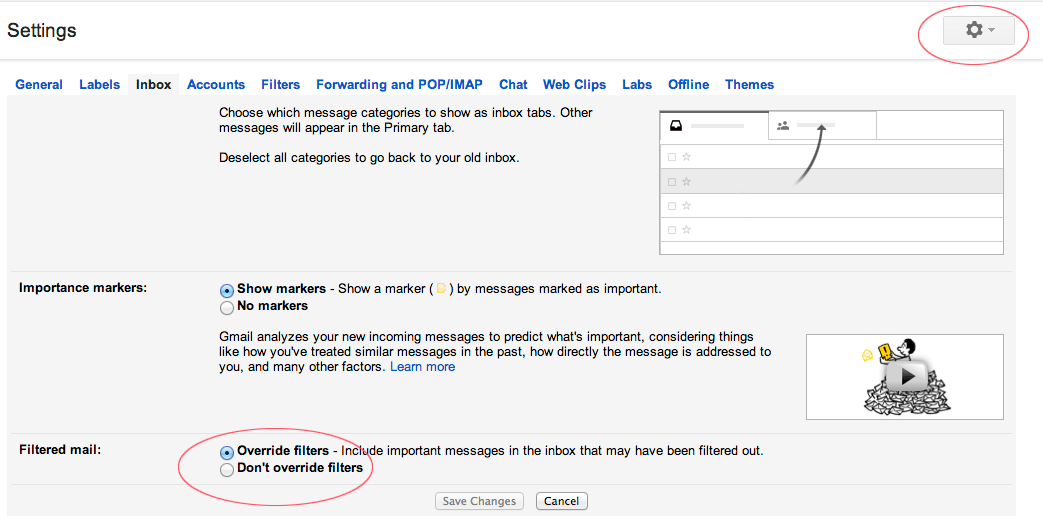
If the problem is with your filters, or lack of them, this should make those emails visible.