

Combining FundEasy Pages
Click the walker on the top of the page that you need to cancel. This makes it easier to find the right sponsors to move
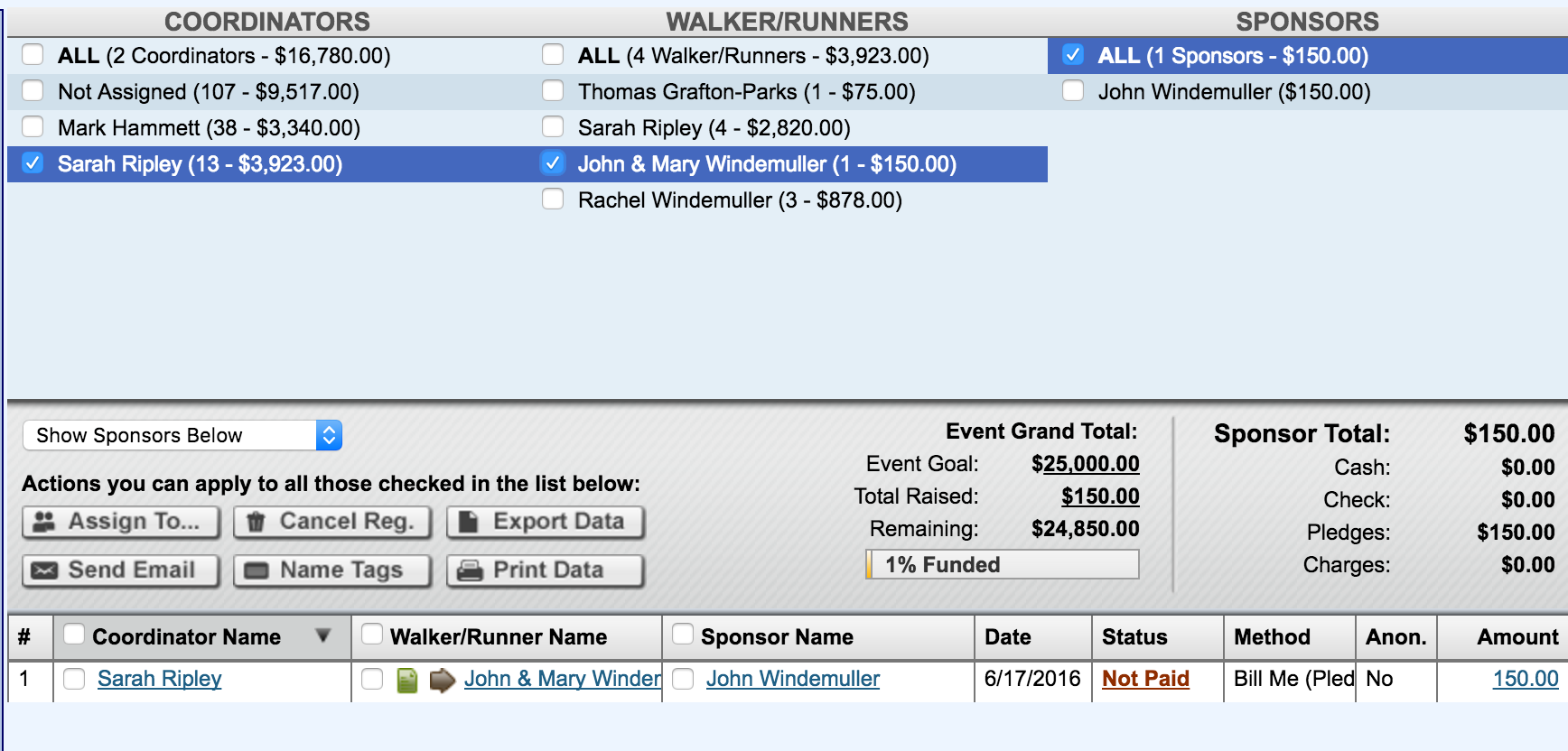
Click the check box next to the sponsor’s name on the bottom part of the page
Click the "Assign To" button in the grey section of the page
Find the correct registrant in the pulldown
Click Reassign
Edit the invoice description to the correct participant.
Canceling registrations
Click the checkbox next to the registrant you want to cancel on the bottom part of the page. (Make sure that you have the "Show Sponsors Below" pulldown showing the registration type you are canceling.)
Click the Cancel Reg button in the grey section of the page

Note: If the participant has a sponsor, it is easier to start by canceling or reassigning the sponsor first (see above) and then canceling the participant. This is also true when canceling a liaison registration. You will need to refund any money collected before you can cancel a sponsor's registration.
Other articles you might enjoy:
Refunding Payments in FundEasy
Update 7/27/16