

You can change the amount of an unpaid sponsorship by following these steps.
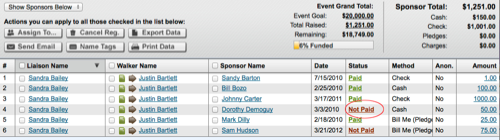
Find the sponsor on the bottom part of the page
Click on the payment status or the dollar amount to open the profile transaction screen
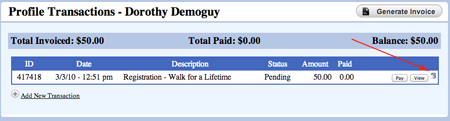
Click the recycle can icon to delete the transaction
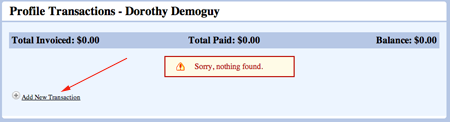
Click the Add a Transaction link in the profile transaction screen to add a new transaction in the correct amount
Click Save