

When a transaction is made, the description of that transaction is recorded in the database. This information doesn't change when you edit the person profile or reassign a sponsor. You can, however, edit the transaction description from the Profile Transaction screen.
Click the payment icon to open the Profile Transaction
Click View to see the description
Click Edit to edit the information
Then click Save.
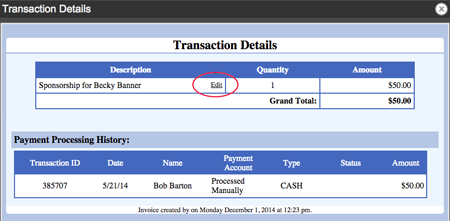
This will update this information in Profile Transactions and in FundEasy Invoices and Receipts.