

Click on a name tag template that you would like to customize.
Click Customize Selected Label to open the label skeleton
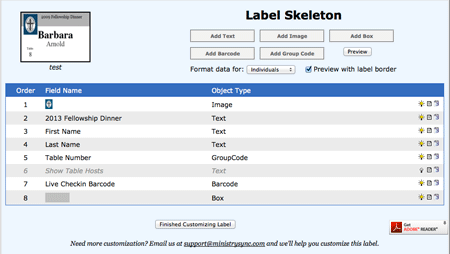
Each line in the Label Skeleton is a different item on the label. Hide or show any item by turning off or on the light bulb icon
To edit an item, click the icon that looks like a piece of paper.
To see how your label looks after you make formatting changes, click the Preview button to generate a .pdf file of your labels.
Other articles you may enjoy: